
How to Stake AMP
A step-by-step guide to staking on Flexa Capacity v3. You have AMP. Now put it to work as network collateral and earn a proportional share of merchant transaction fees.
Why Stake AMP?
Your AMP becomes the network's collateral backbone.
Every AMP token staked on Flexa Capacity increases the network's ability to guarantee merchant payments. When a customer pays with crypto, staked AMP is momentarily locked as collateral, guaranteeing the merchant gets paid in under a second before the blockchain even settles.
In return, stakers earn yield from actual merchant transaction fees (1% per transaction). Flexa uses that fee revenue to buy AMP on the open market and distributes it to stakers pro rata, weighted by stake size and duration. No new tokens are minted. This is commerce-sourced yield, not inflation.
Before You Start
What you need to have ready.
AMP tokens in a self-custody wallet
MetaMask, Coinbase Wallet, or any WalletConnect-compatible Ethereum wallet. The tokens must be in a wallet you control, not on an exchange.
ETH for gas fees
Staking requires on-chain Ethereum transactions. Gas has been extremely cheap lately, often under $1 for the full approve + deposit flow. Check etherscan.io/gastracker for current prices. Budget a few dollars in ETH to be safe.
A few minutes of patience
Transactions take 1–3 minutes to confirm on Ethereum mainnet. The whole process takes about 5 minutes start to finish.
Step-by-Step Guide
From wallet connection to staked AMP.
Go to Flexa Capacity
Navigate to app.flexa.co, Flexa's official staking interface. You'll see the total capacity supplied, a chart, and a list of all active pools with their APYs.
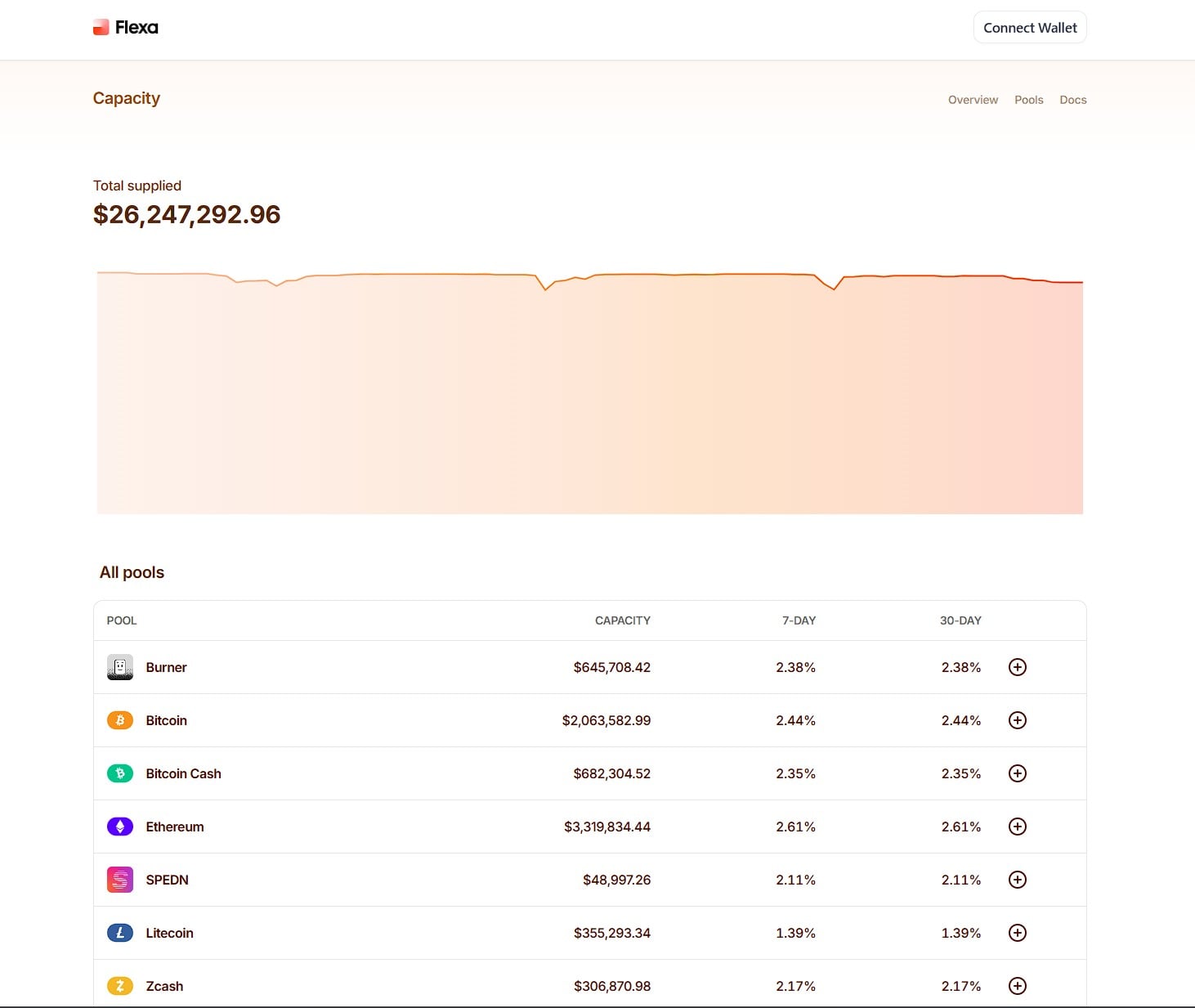
app.flexa.co ) before connecting your wallet. Bookmark it. Phishing sites can mimic the interface exactly. Check the domain in your browser's address bar every time.Connect Your Wallet
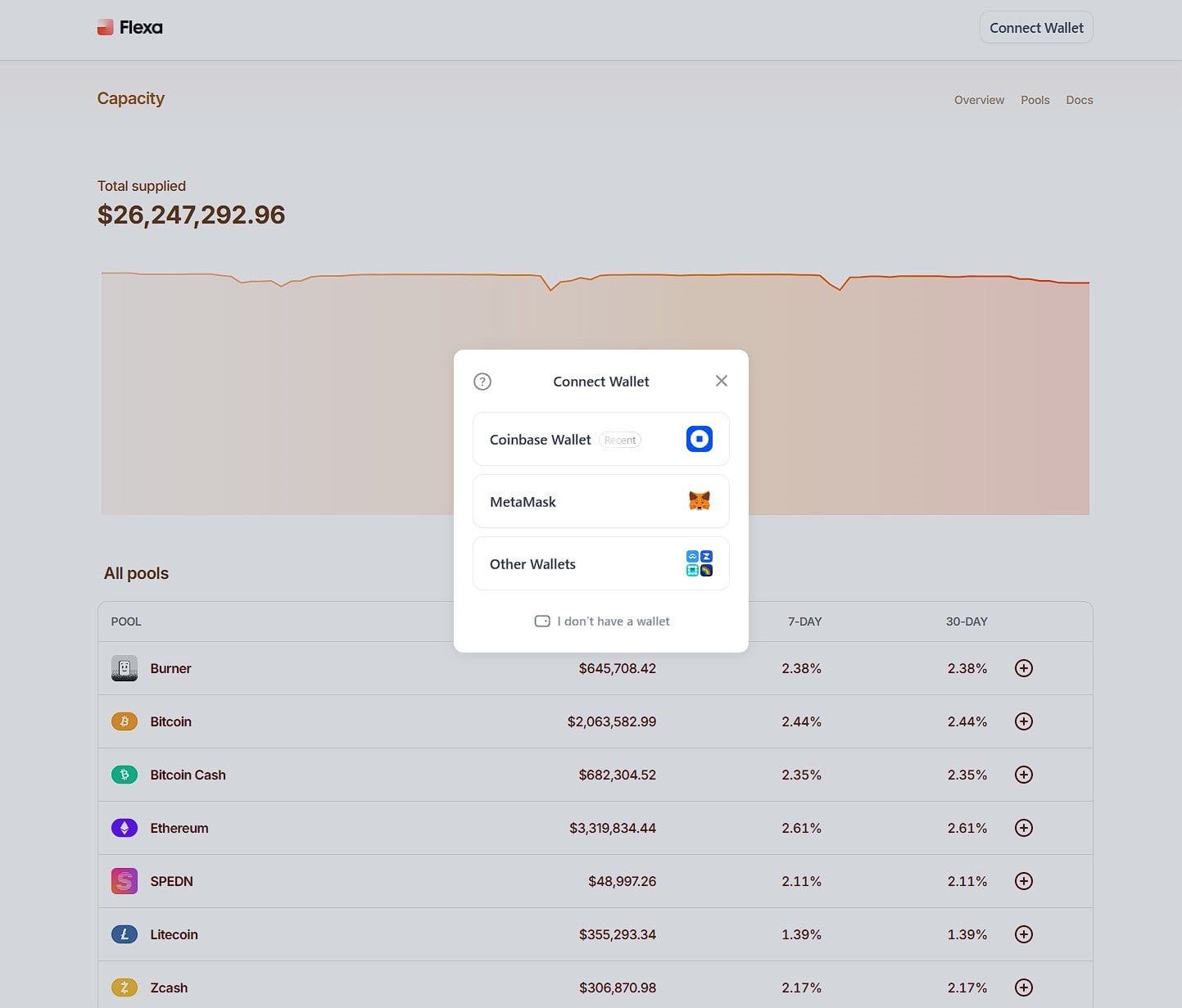
Click Connect Wallet in the top right. You'll see options for Coinbase Wallet, MetaMask, and Other Wallets (via WalletConnect).
Approve the Connection
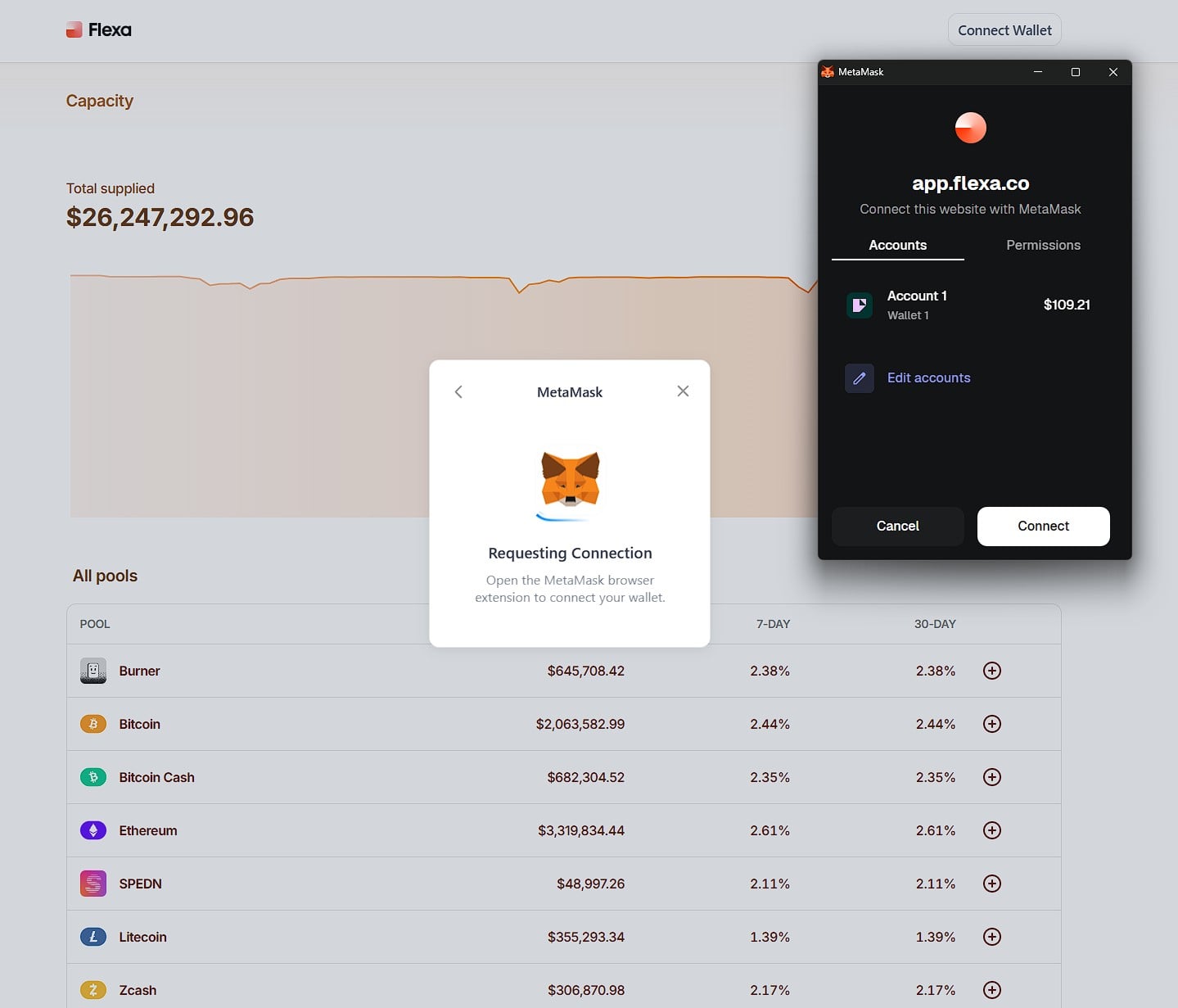
MetaMask will pop up with a "Requesting Connection" dialog. The Accounts tab shows which wallet you're connecting. Review and click Connect.
Choose a Staking Pool
Once connected, the pool list now shows a Your Collateral column. Each pool backs a different payment network. Your staked AMP collateralizes transactions processed through that network.
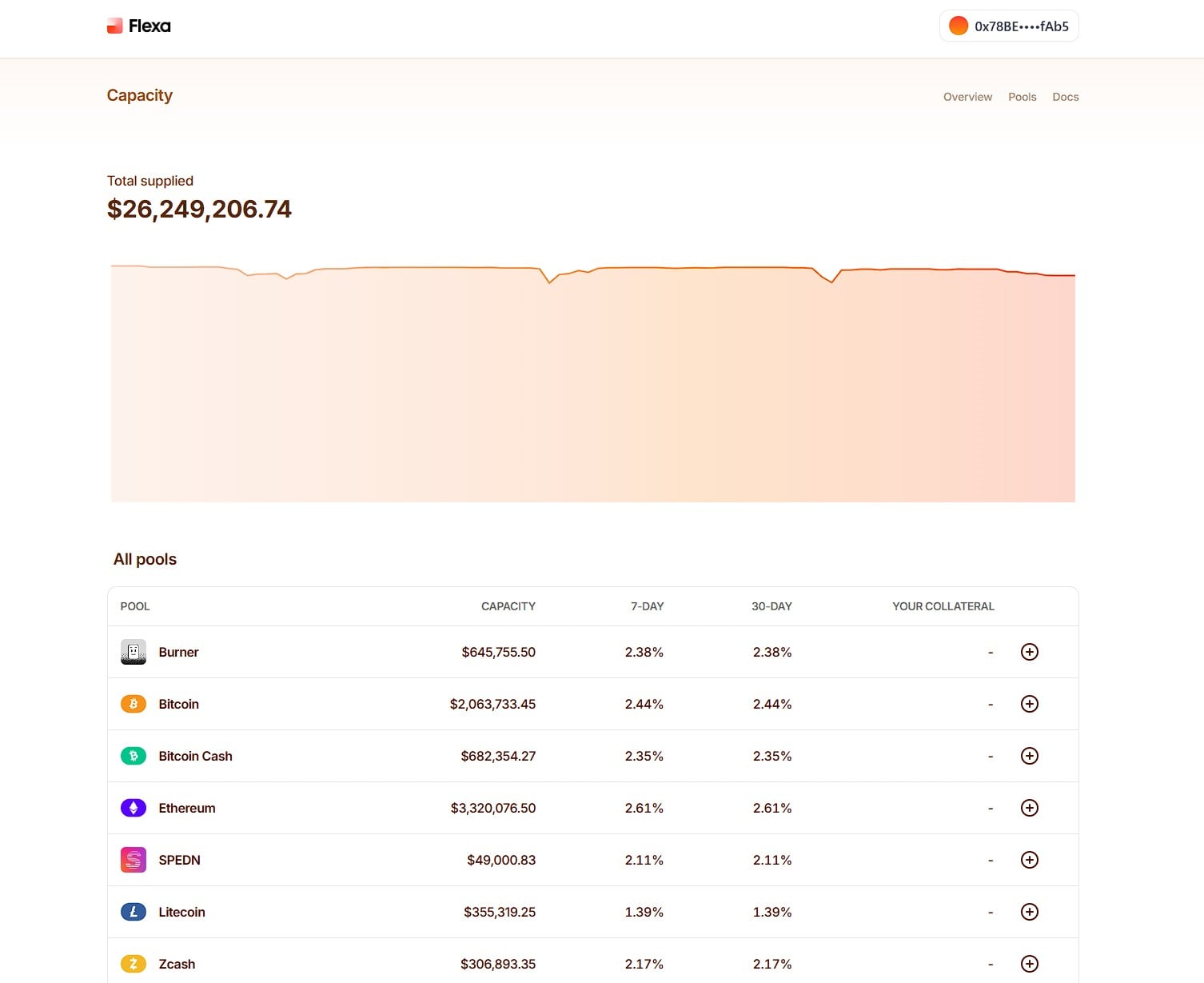
Each pool backs a different payment network or wallet app — Bitcoin, Ethereum, Lightning, Solana, and so on. Your staked AMP collateralizes transactions processed through whichever network you pick. Pools with more transaction volume relative to their staked collateral pay higher APY, so following the APY signal is a reasonable proxy for where collateral is most needed.[1]
Larger pools (higher total capacity) tend to have more stable APY. Smaller pools can offer higher rates but with more variance as collateral moves in and out. You can stake into multiple pools — your rewards are tracked per pool.
Pool capacities and APY rates change daily with network activity. Current rates are shown on the Flexa Capacity dashboard.
~20 pools · capacity and 7d/30d APY · boosted pools flagged monthly
Open Add Collateral
Click the ⊕ button next to a pool to open the Anvil deposit modal. You'll see "Add Collateral to the [Pool Name] Pool" with an amount field and percentage slider.
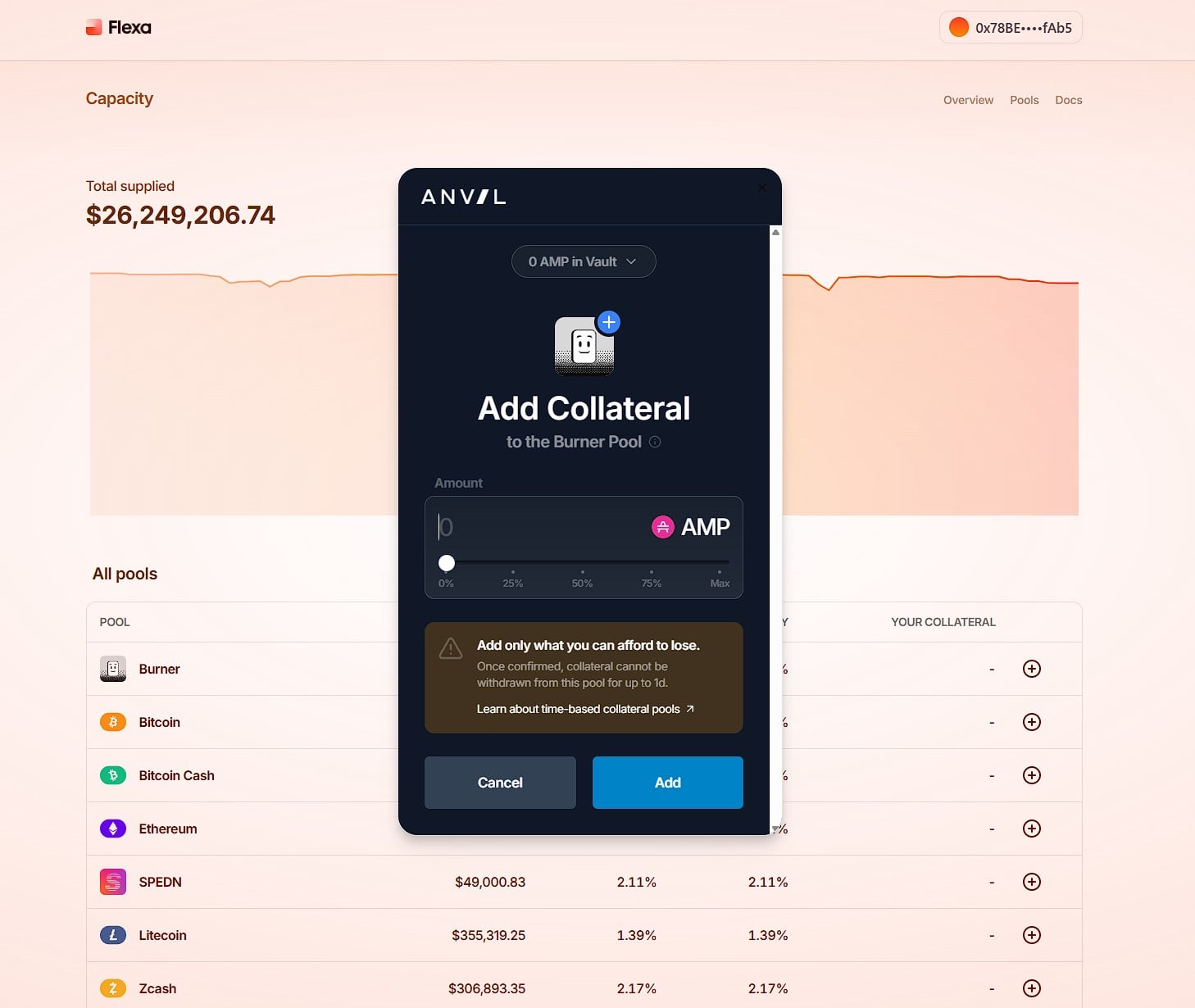
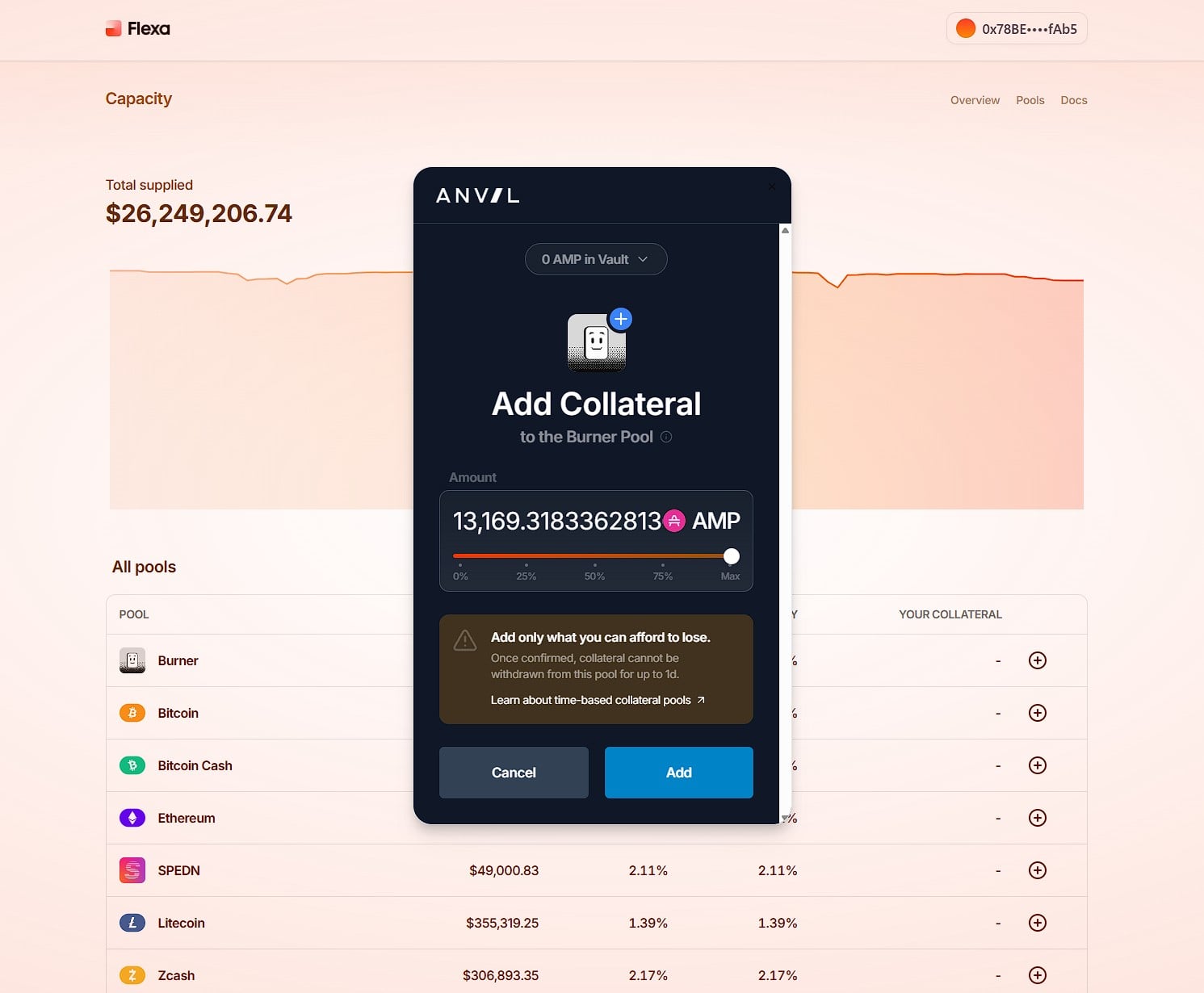
Enter Your Amount
Use the slider to set how much AMP to stake: 0%, 25%, 50%, 75%, or Max. Then click Add.
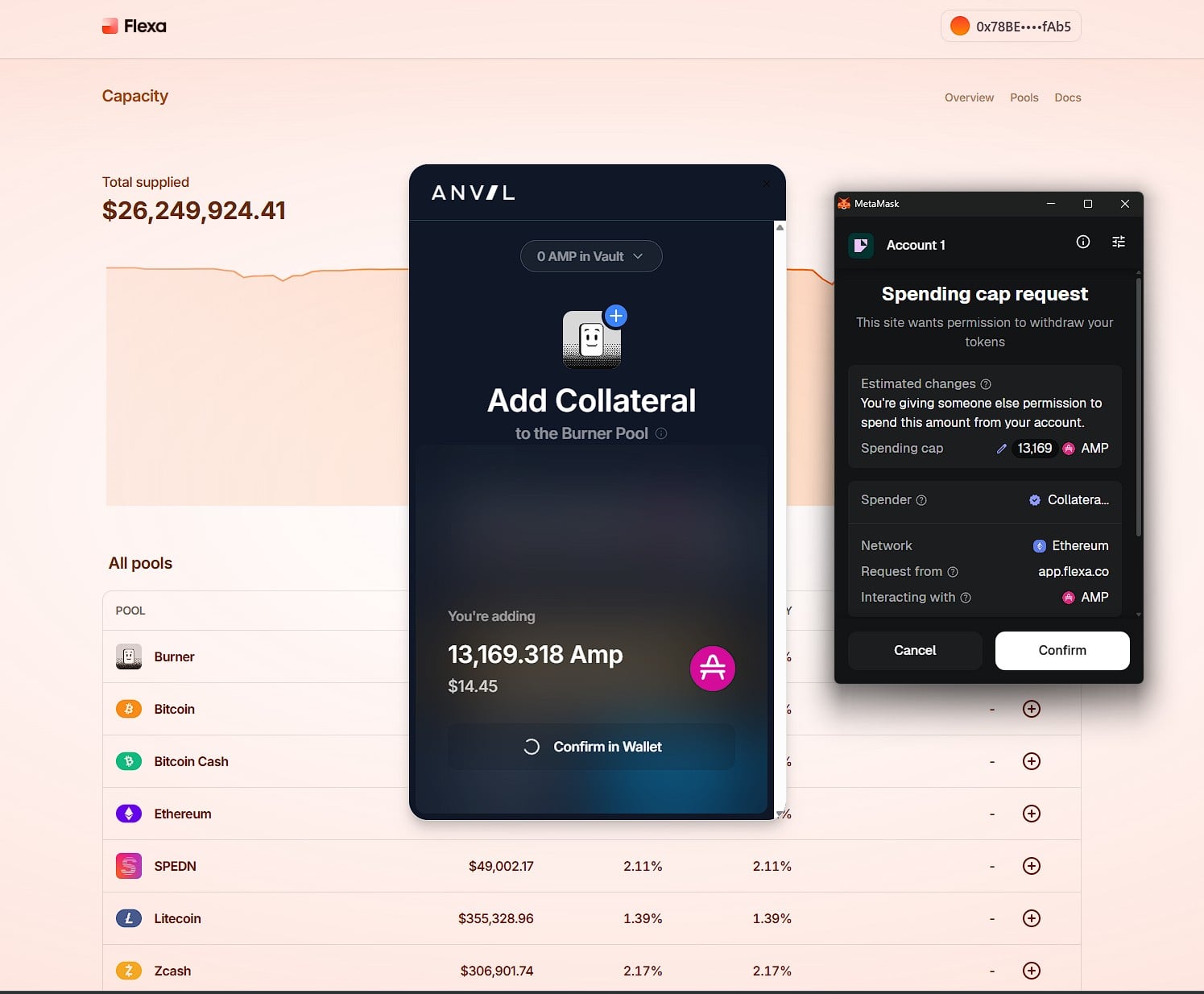
Approve the Spending Cap
MetaMask will show a Spending cap request. This is the ERC-20 approval granting the Anvil vault permission to access your AMP. Review the details (spender, network, amount) and click Confirm.
Sign & Confirm Deposit
After approving the spending cap, MetaMask shows a signature request (no gas fee) — sign it. Then a third prompt appears: the actual deposit transaction (requires gas). Confirm this final transaction. MetaMask shows "Your transaction was submitted" once the deposit is processing on-chain. This typically takes 1–3 minutes.
Why no gas on the signature? It's an EIP-712 typed data signature — a cryptographic authorization that proves you approved this specific deposit, without broadcasting anything to the blockchain.[10] The signature gets bundled into the deposit transaction that follows. Only on-chain writes cost gas; off-chain signatures are free.
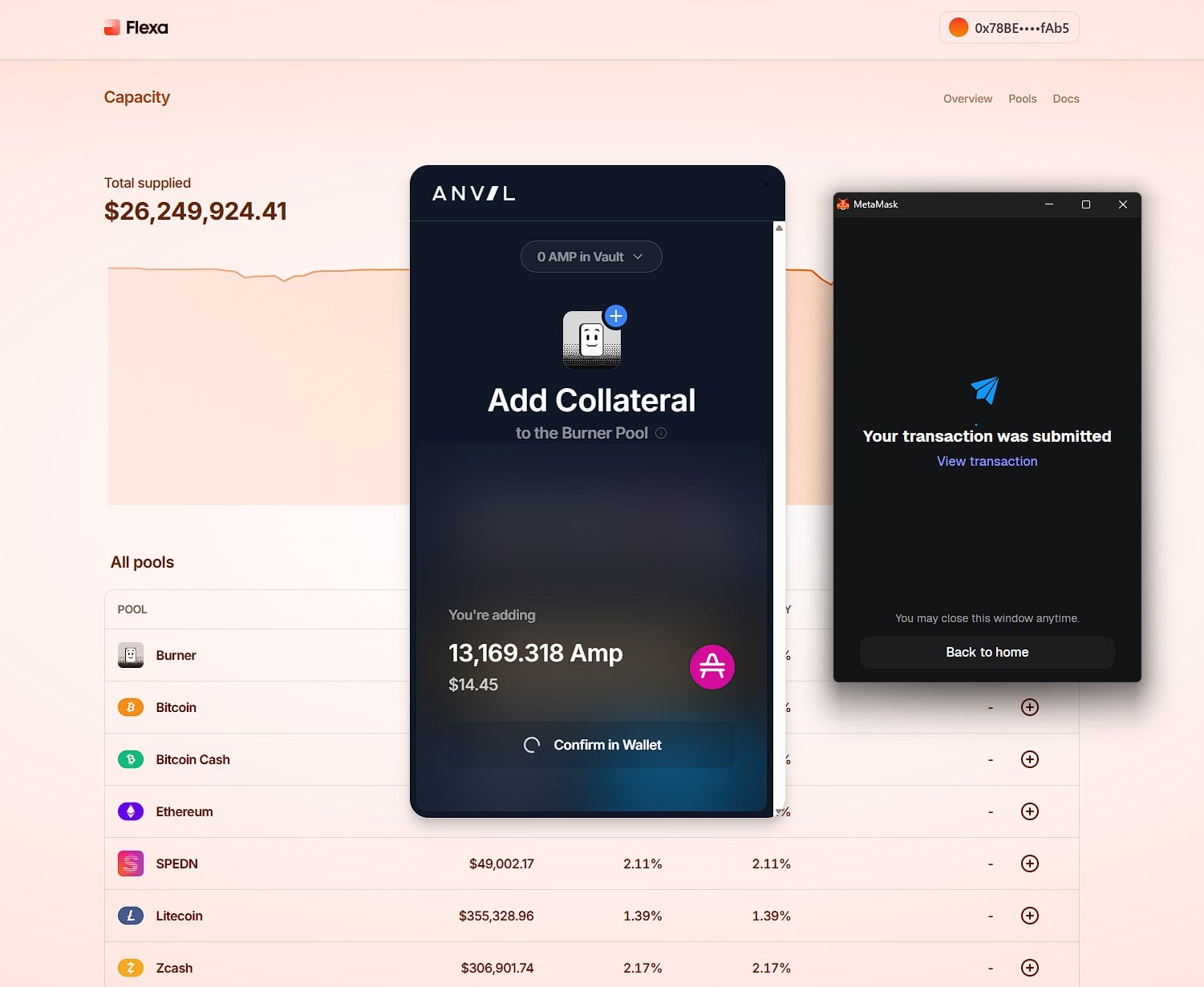
Transaction Confirmed
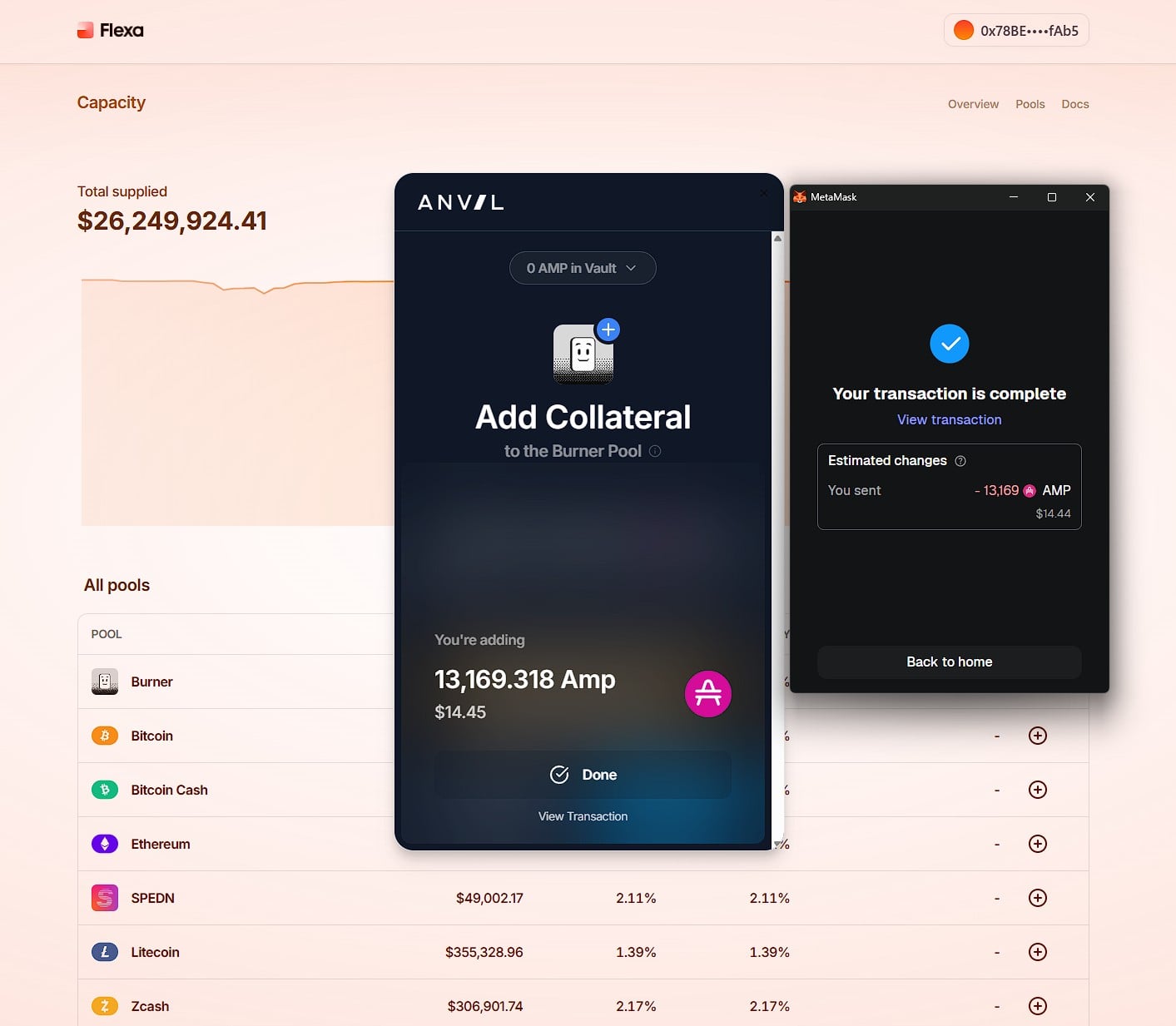
MetaMask confirms: "Your transaction is complete." You'll see the estimated changes: in this case, 13,169 AMP ($14.44) sent to the Burner Pool. Click View transaction to verify on Etherscan.
Verify Your Stake
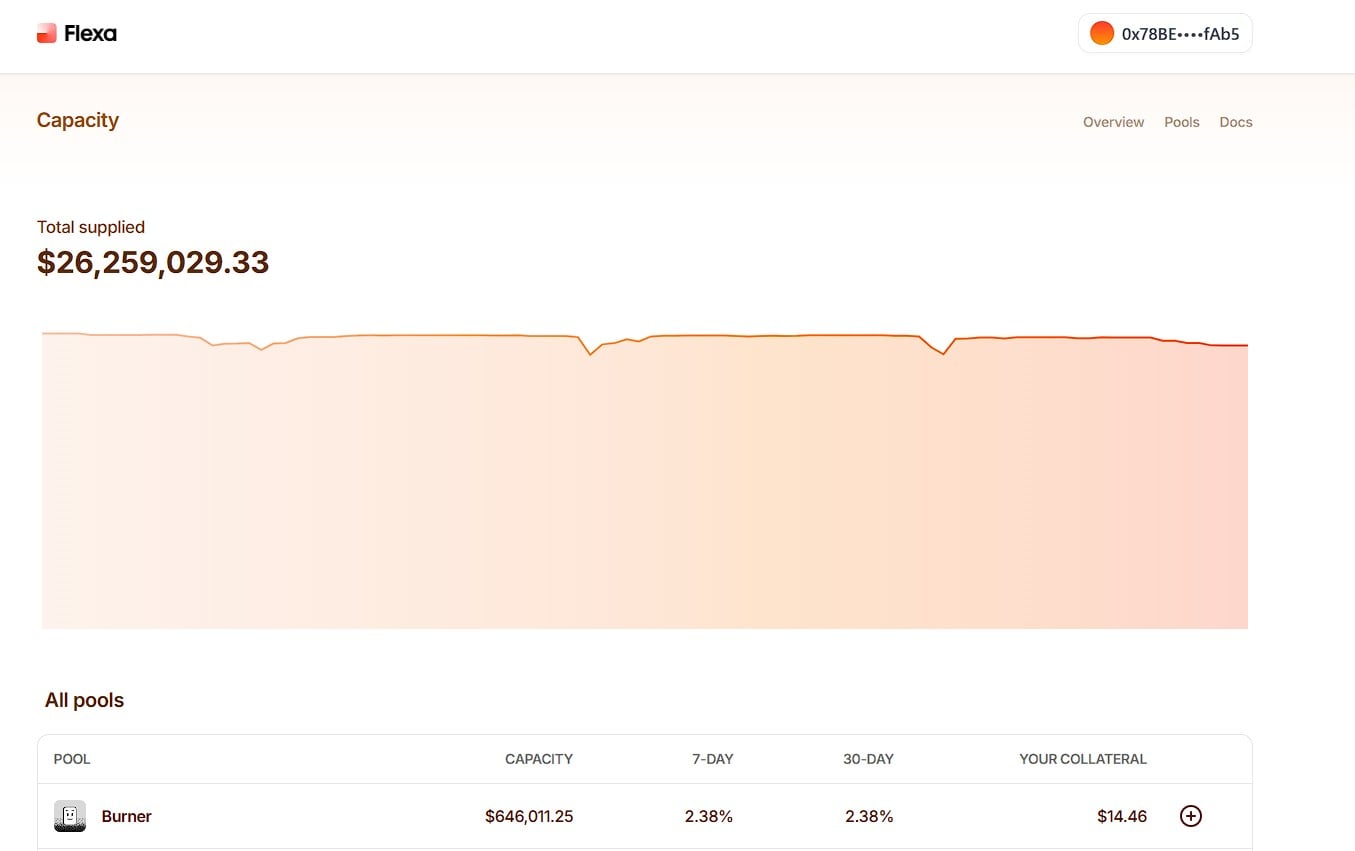
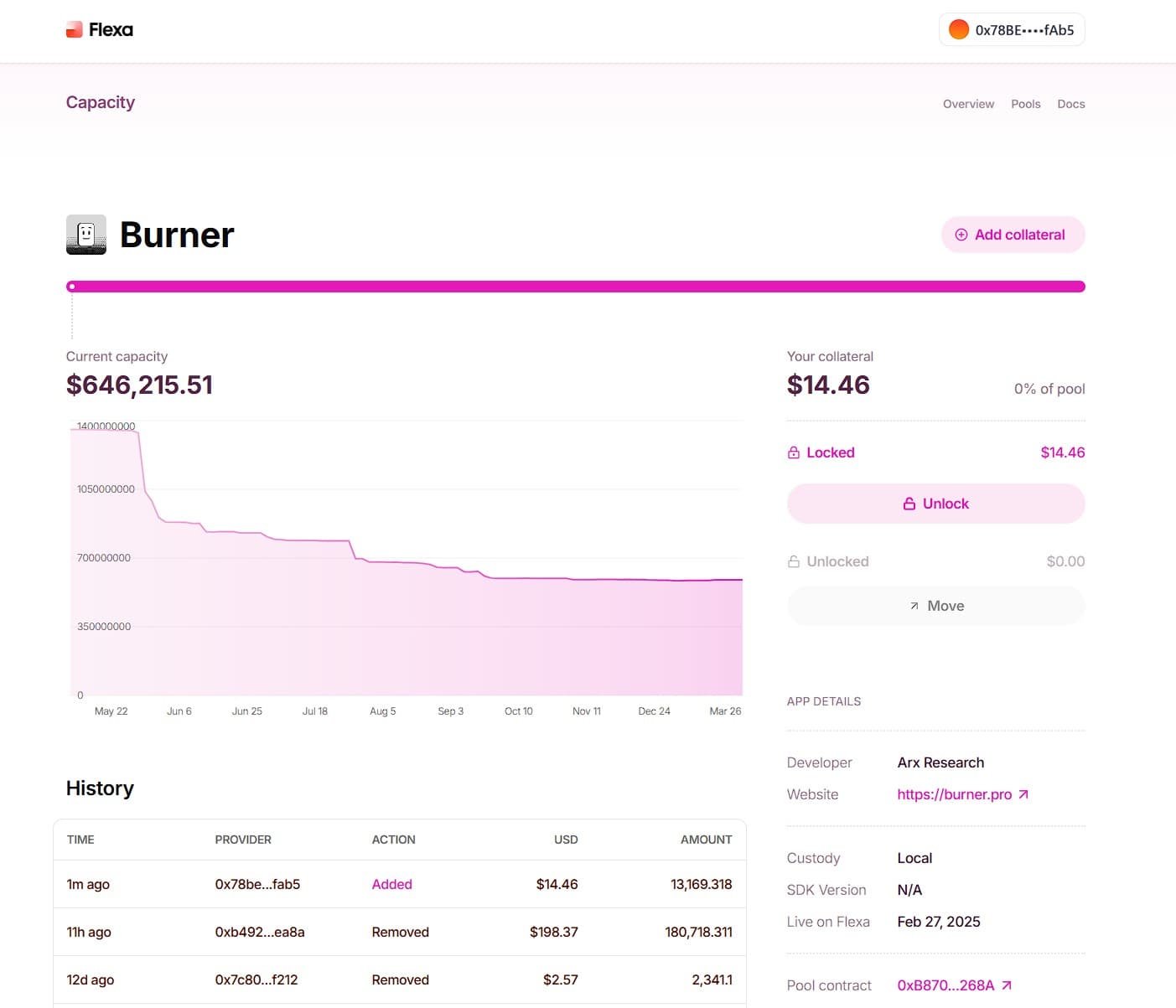
Back on the dashboard, the Burner pool now shows your collateral balance under Your Collateral. You're staked and earning rewards.
What Happens After You Stake
Rewards, unstaking, and what to expect.
Rewards accrue from merchant transaction fees processed through the Flexa network. Distribution happens on the 1st of each month and is weighted according to FIFO (first in, first out): the earlier your tokens were pooled, the higher your share of that pool's rewards. Longer-duration stakers earn a higher effective APY than someone who just deposited. This protects existing stakers from dilution when large deposits arrive late in the cycle. Once distributed, rewards are instantly withdrawable.
Your stake compounds the network's collateral capacity: more AMP staked means higher transaction volume the network can guarantee, which generates more fee revenue for all stakers.
Each month, Flexa selects a set of pools for bonus reward multipliers. To qualify, provide collateral to the eligible pool by the 5th of each month. Boosted pools rotate monthly. Check Flexa Capacity for the current selection.
APY is not static. It's a self-balancing incentive signal. Each pool's reward rate is driven by the ratio between transaction volume flowing through that network and the amount of AMP staked as collateral:
High utilization → Higher APY
When a pool processes more transactions relative to its staked collateral, rewards per staker increase, attracting more AMP to that pool.
Low utilization → Lower APY
When a pool has more collateral than its transaction volume warrants, rewards are diluted across more stakers, signaling stakers to reallocate.
No central coordinator needed. Stakers following their own yield incentives naturally keep collateral distributed where the network needs it.
Each network and app enabled by Flexa is secured by its own onchain collateral pool. If an app or network becomes compromised, the associated pool immediately signals increased risk, enabling collateral providers to respond quickly. You choose which pools to back, and you can move your collateral if risk conditions change.
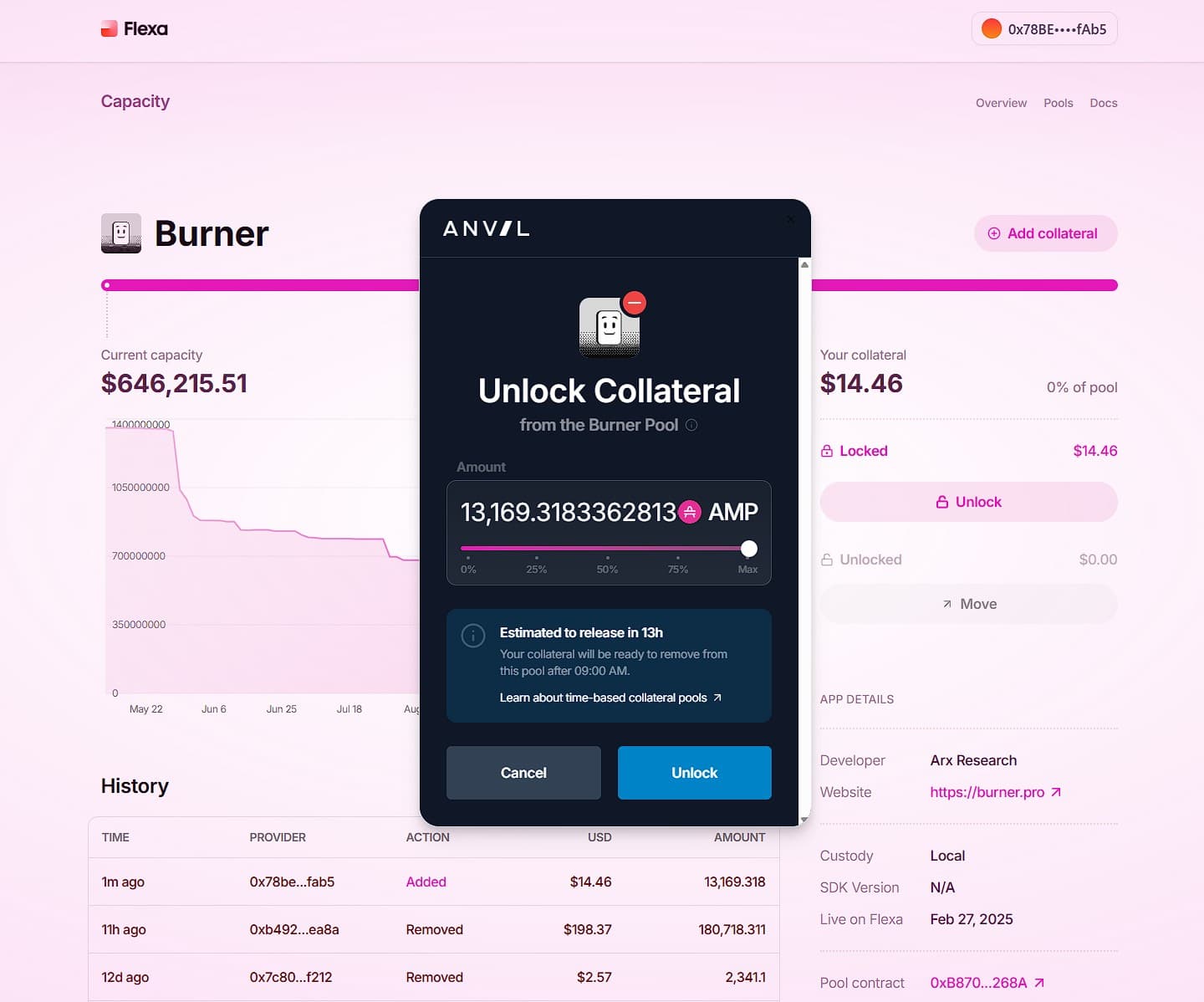
Capacity v3 uses the Anvil protocol with 12–24 hour unlock windows.[2] This is a change from v2, which allowed instant unstaking. V3's cooldown is a tradeoff: you get the improved vault architecture and security guarantees of Anvil, but your AMP is locked for up to 24 hours after you initiate withdrawal. The exact release time is not fixed — it's calculated at the moment you submit your unlock request and shown in the Anvil modal (e.g. "~13 hours"). During cooldown, your AMP is not earning rewards. Once the window passes, you can withdraw back to your liquid wallet.
Pool parameters — including reward weighting, Boosts availability, and pool eligibility — are set by ANVL governance, not by Flexa centrally.
Risks to Know
Honest assessment of what you're taking on.
Liquidation risk
This is the core tradeoff of staking. If a transaction fails to settle and a liquidation event is triggered, the collateral backing that transaction is forfeited to make the merchant whole. The loss is shared proportionally across all stakers in that pool, not borne by one individual. Flexa has stated that no liquidation has occurred to date, but the mechanism is built into the protocol by design.
Smart contract risk
The AMP contract has been audited by ConsenSys Diligence and Trail of Bits. No critical findings. It's immutable with no upgrade path, no proxy pattern, and no admin keys. But all smart contracts carry inherent risk.
Collateral manager risk
Collateral managers handle lock/release logic. They cannot take your tokens, but bugs could theoretically delay unlocking.
Gas costs
Staking, unstaking, and claiming rewards each require Ethereum transactions with gas fees. These can spike during network congestion.
Opportunity cost
Staked AMP in the 12–24 hour unlock cooldown earns no rewards and can't be traded. Factor this into your liquidity planning.
Network adoption risk
Staking yields depend entirely on Flexa merchant transaction volume. Lower adoption = lower rewards. Coverage now spans the US, Canada, El Salvador, and Europe (SEPA, 37 countries, 2026), though transaction volume remains concentrated in the US.
Tax implications
Staking rewards are generally treated as ordinary income at fair market value when received, and AMP itself is treated as property — meaning disposals (selling, spending, or unstaking into a trade) can trigger capital gains events.[9] Under current US law, every crypto payment — no matter how small — is a taxable disposal. A de minimis exemption (proposed in the Virtual Currency Tax Fairness Act[11]) would exempt small transactions below a threshold from capital gains reporting, which Flexa leadership has identified as critical to real-world crypto payment adoption. As of 2026, no such exemption is in force in the US. Tax treatment varies by jurisdiction. Consult a tax professional familiar with digital assets.
Frequently Asked Questions
Common questions about staking AMP.
Sources
Primary references for this guide.
- [1]Flexa Capacity — app.flexa.co — Live staking interface. Current pool data, staked AMP balances.
- [2]Flexa Capacity v3 — Anvil Protocol (Mar 2025) — 12–24 hour unlock windows, collateral vault architecture.
- [3]AMP Whitepaper — "Digital Collateral for Real-World Transfers" (2020) — Partition system, collateral managers, token economics.
- [4]AMP Token Contract — Ethereum Mainnet — 0xfF20817765cB7f73d4bde2e66e067E58D11095C2 · Immutable · No mint function.
- [5]ConsenSys Diligence Audit (June 2020) — Smart contract security review. No critical findings.
- [6]Trail of Bits Audit (July–Aug 2020) — Independent security audit.
- [7]Flexa Payments — Pricing — All-inclusive 1% merchant fee per transaction.
- [8]Messari — "Flexa: You Can Have Your Crypto and Spend It Too" — Supply allocation, governance, risk factors, reward mechanics.
- [9]IRS — Digital Assets guidance — Crypto treated as property for US tax purposes. Rewards taxable as ordinary income at receipt. Disposals may trigger capital gains.
- [10]EIP-712 — Typed Structured Data Hashing and Signing — Standard for off-chain typed data signatures in Ethereum. Signature requests generate a cryptographic authorization without broadcasting a transaction, so no gas is required.
- [11]Virtual Currency Tax Fairness Act — Proposed US legislation that would create a de minimis exemption for small cryptocurrency transactions, exempting gains below a set threshold from capital gains reporting requirements.